



Activating 2FA (2 Factor Authentication) on your Google account is aimed to improve security of your account from cyber attack or abuse. Below are the step to activate Google 2FA for Unnes academic community :
1. Open your google account page
On your browser, open the url https://myaccount.google.com/ , then login with your google account.
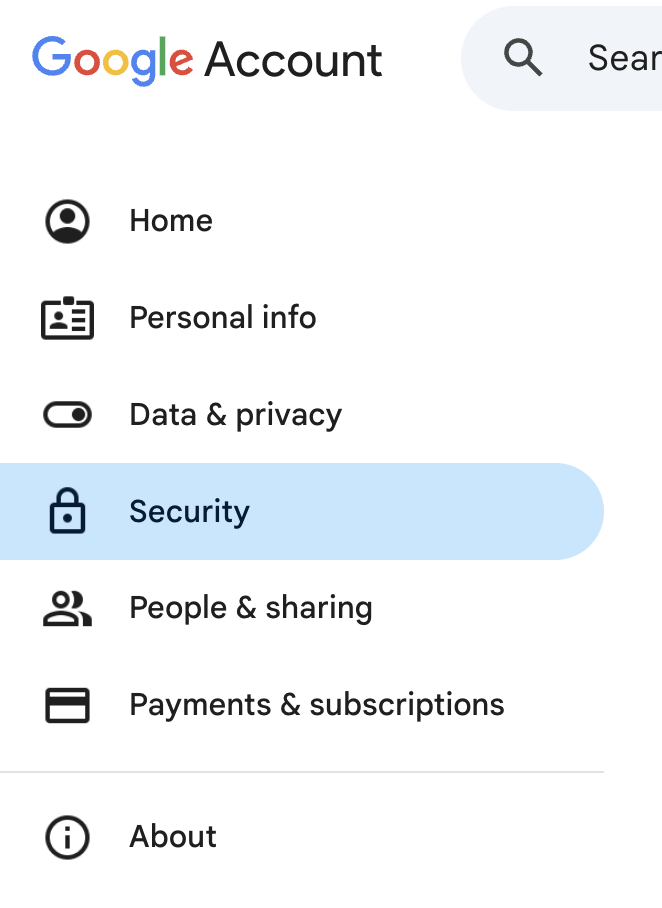
2. Open menu security
On the left side of your account page, choose security
3. Go to “How you sign in to Google” section
Scroll down until you find “How you sign in to Google”, then click “2-Step Verification”.
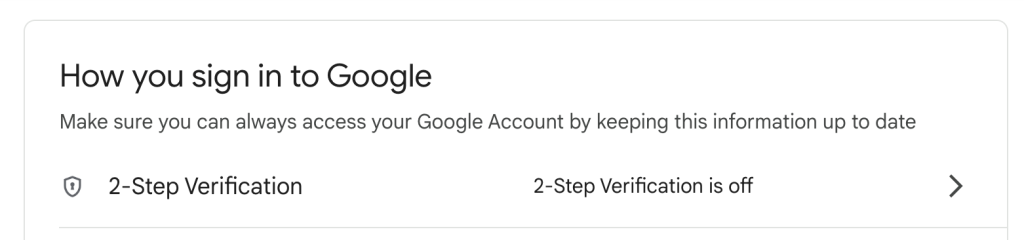
After that, new window will be opened. Input your password if needed.
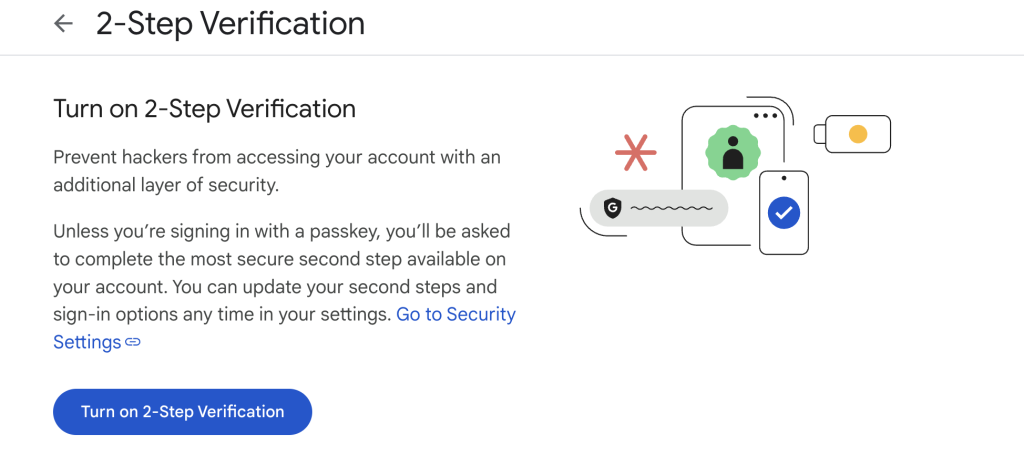
Then click “Turn on 2-step Verification”. Follow the instruction.
4. Activation completed
Congratulation, your account has been secured