


On Computer (Windows)
.
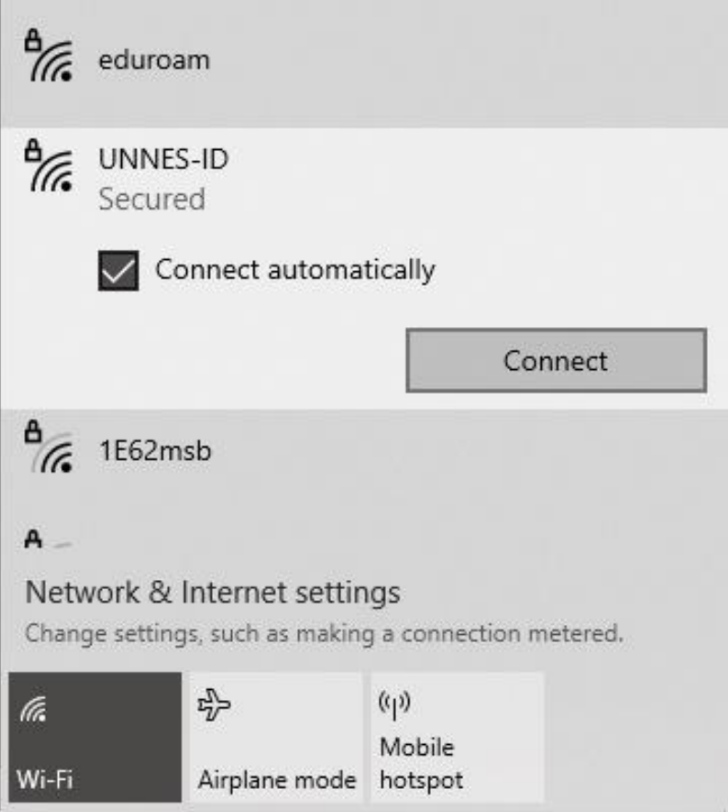
1.Make sure that there is SSID : UNNES-ID around you, then click Connect
.
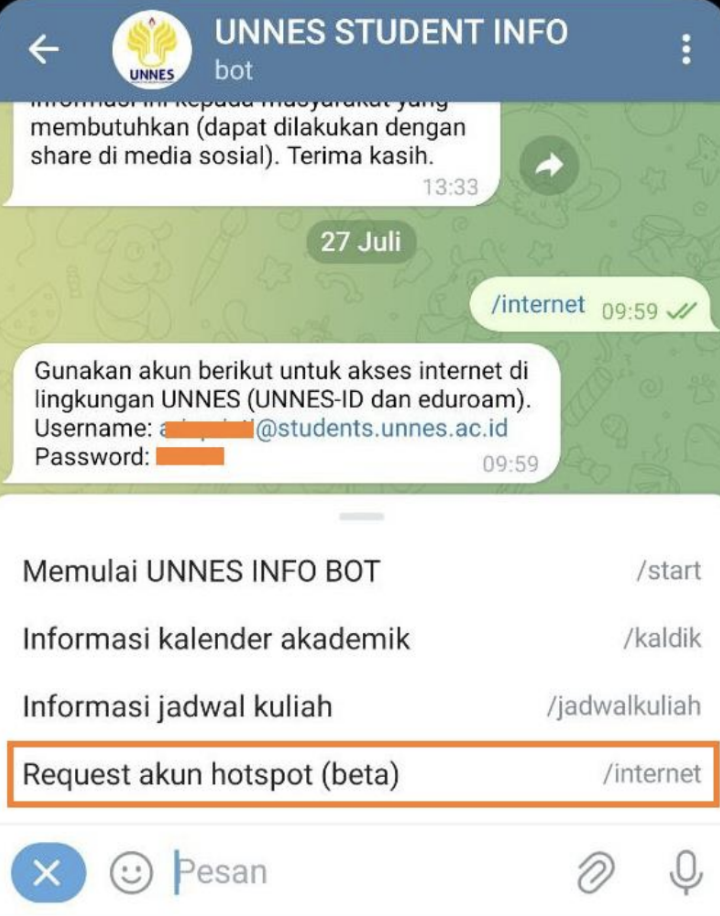
2. Type /internet on Telegram bot UNNES INFO or UNNES STUDENT INFO
.
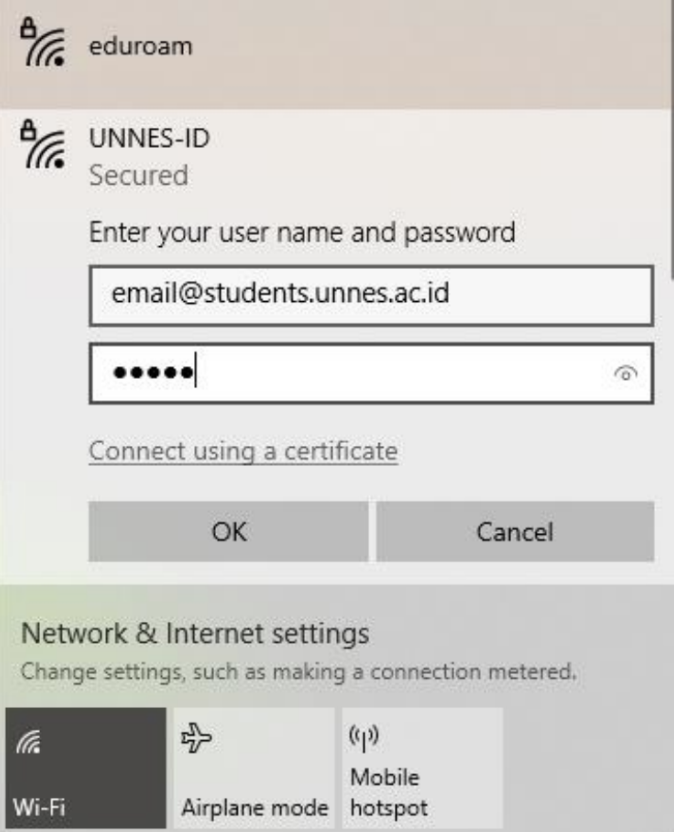
3. Fill the user name and password which are obtained from Telegram bot UNNES INFO or UNNES STUDENT INFO, then click OK
.
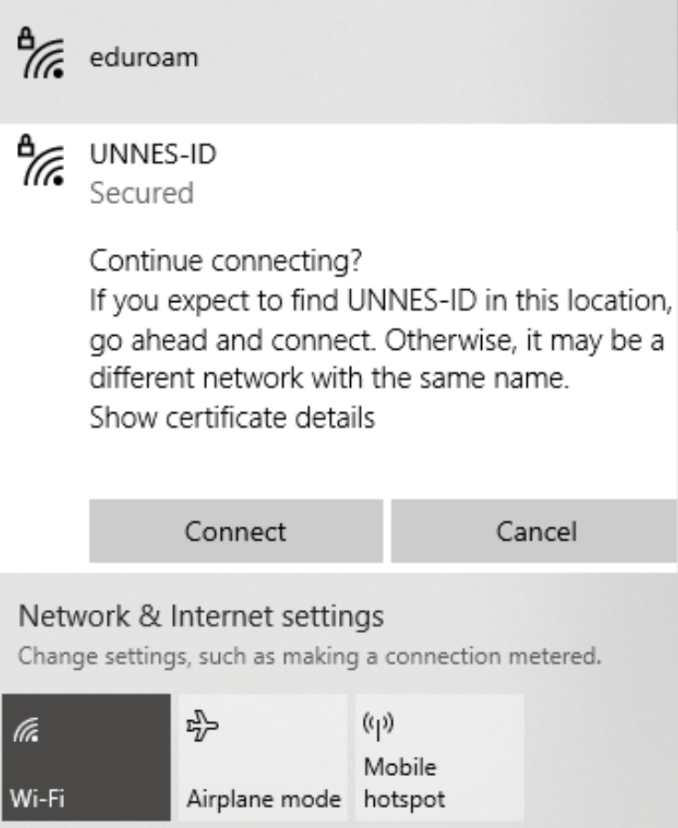
4. If there is a confirmation, click Connect
.
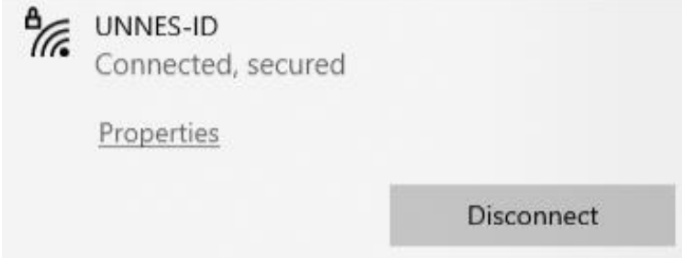
5. Make sure the status is already Connected, Secured
.
6. Congratulation, wifi UNNES-ID is successfully connected
.
On Android device
.
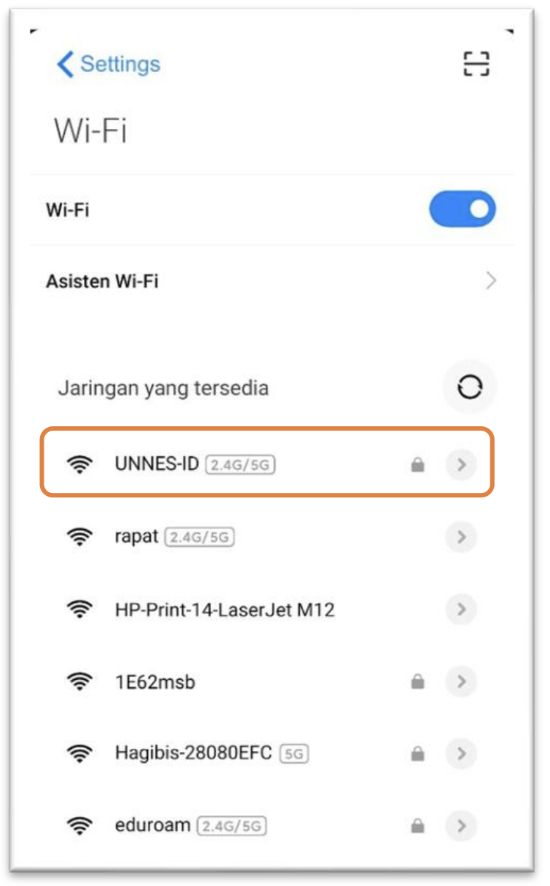
1.Make sure that there is SSID : UNNES-ID around you, then click Connect
.
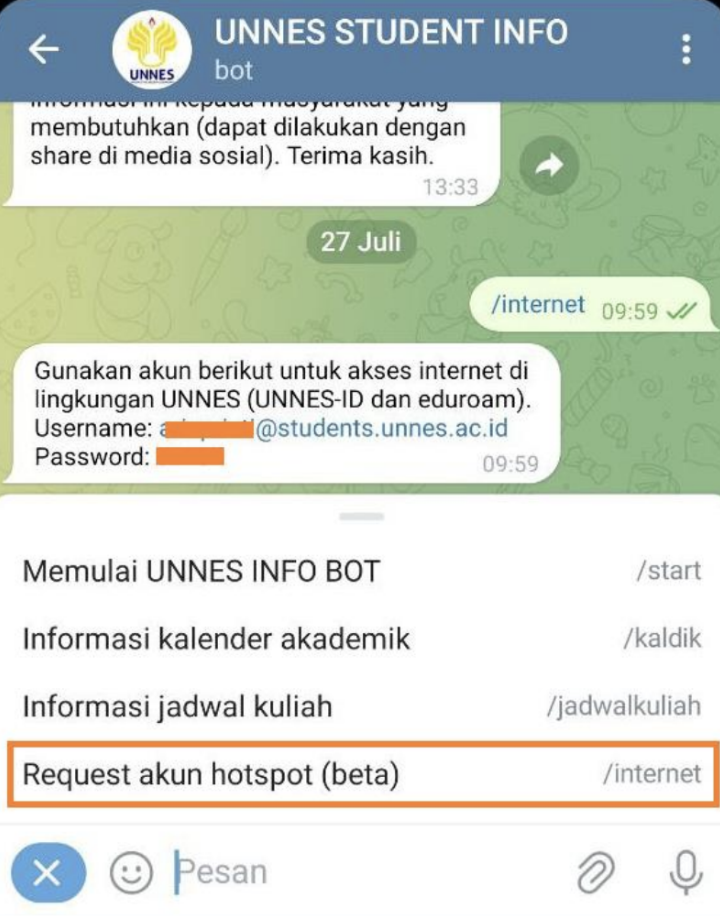
2. Type /internet Telegram bot UNNES INFO or UNNES STUDENT INFO
.
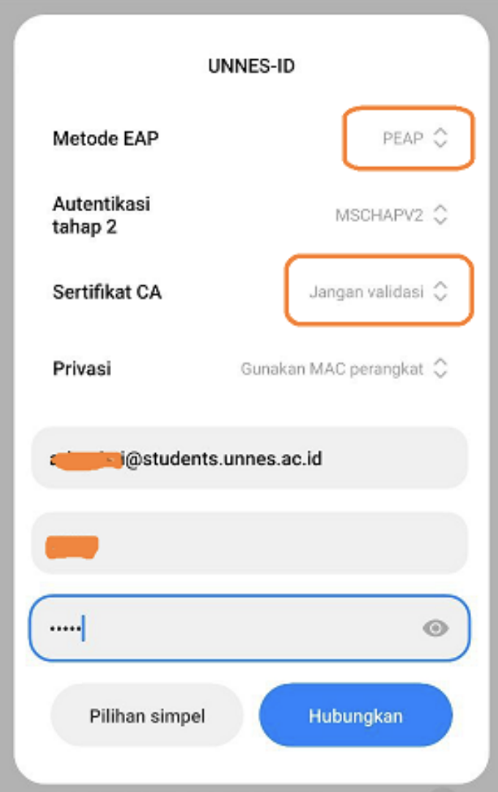
3. Fill the user name and password which are obtained from Telegram bot UNNES INFO or UNNES STUDENT INFO, then click OK
Make sure that
a. Method = PEAP
b. CA Certification = Dont’t validate
Then click Connect
.
4. Make sure that the status is already Connected
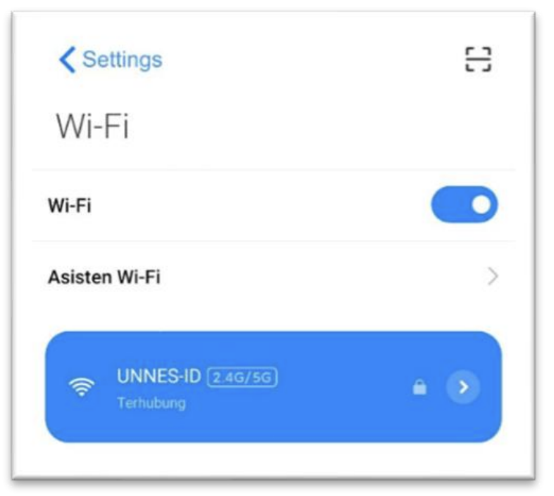
.
5. Congratulation, wifi UNNES-ID is successfully connected